
GUIDED AI WORKBOOK STUDIO · 8 MODULES
The AI Workbook Studio
Regular price $37, launch price $27ONE-TIME
Launch price for the first 10 buyers. Then it goes up to $37.
Turn your idea into a finished workbook. One guided step at a time.
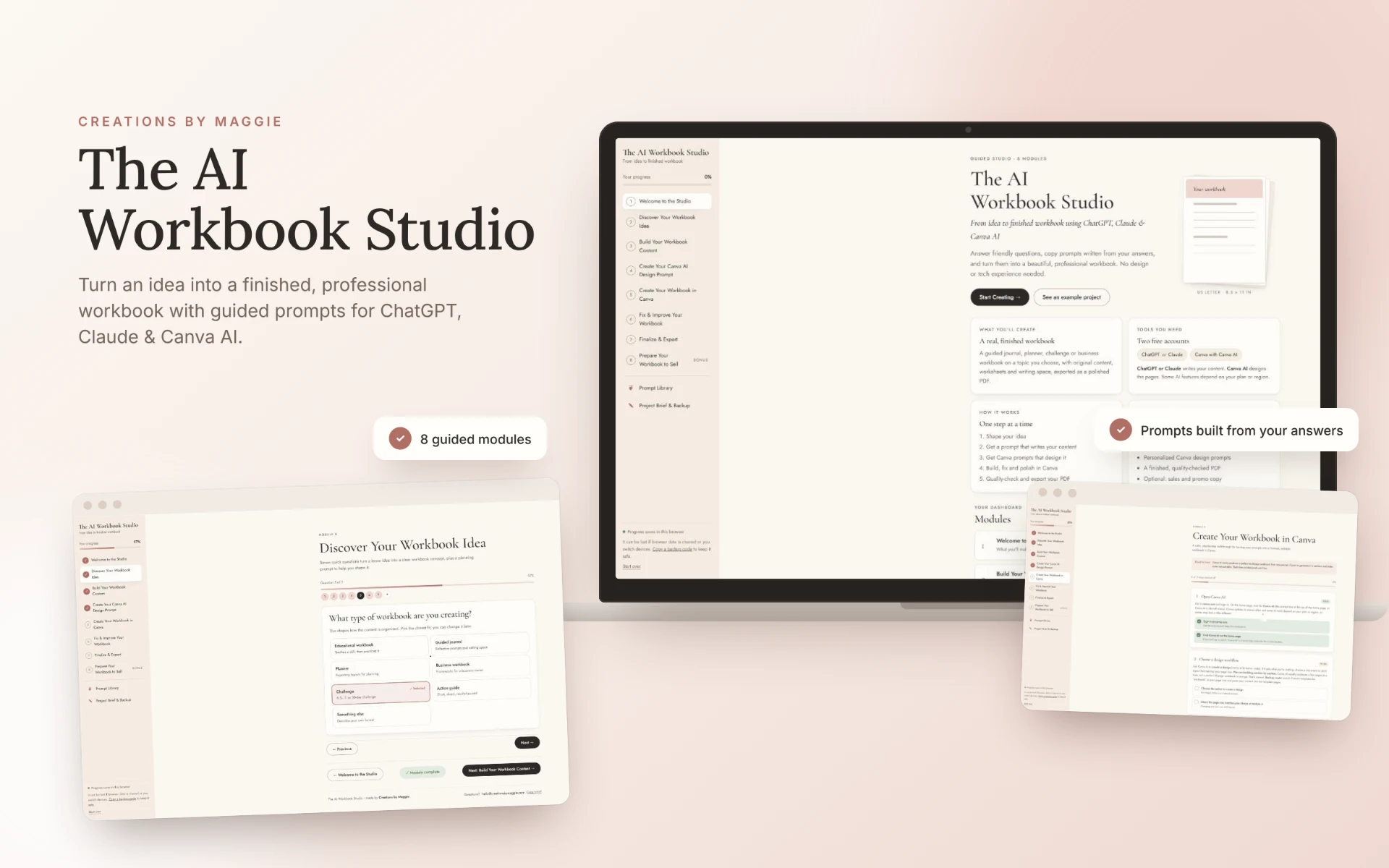
Answer friendly questions about your idea. The studio turns your answers into personalized prompts for ChatGPT or Claude to write your content, and for Canva AI to design it. You finish with a real, professional workbook.
Beginner-friendly. All you need is a free ChatGPT or Claude account and a free Canva account.
Already bought? It’s in your Creations by Maggie Library. Sign in with the email you used at checkout.
01 / SOUND FAMILIAR?
You know what you want to make. Getting it finished is the hard part.
✕ Problem“I have a workbook idea, but I don’t know where to start.”
Seven guided questions and a planning prompt turn a loose idea into a clear workbook concept.
✕ Problem“I open ChatGPT and have no idea what to type.”
The studio writes the prompt for you from your answers, and it writes your full workbook page by page.
✕ Problem“I’m not a designer.”
You get Canva AI design prompts built from your real content, with six style presets to pick from.
✕ Problem“Canva AI gave me something that looks off.”
Fix & improve prompts for nine common problems help you sort it out.
✕ Problem“I don’t know which PDF to export.”
A quality checklist and an honest guide to printable, clickable-link and fillable PDFs.
WHY I MADE THIS
I created The AI Workbook Studio because making something you can sell shouldn’t take hours, weeks or even months. You already have the idea. This studio walks you through the rest, one guided step at a time.
Maggie ♡
02 / LOOK INSIDE
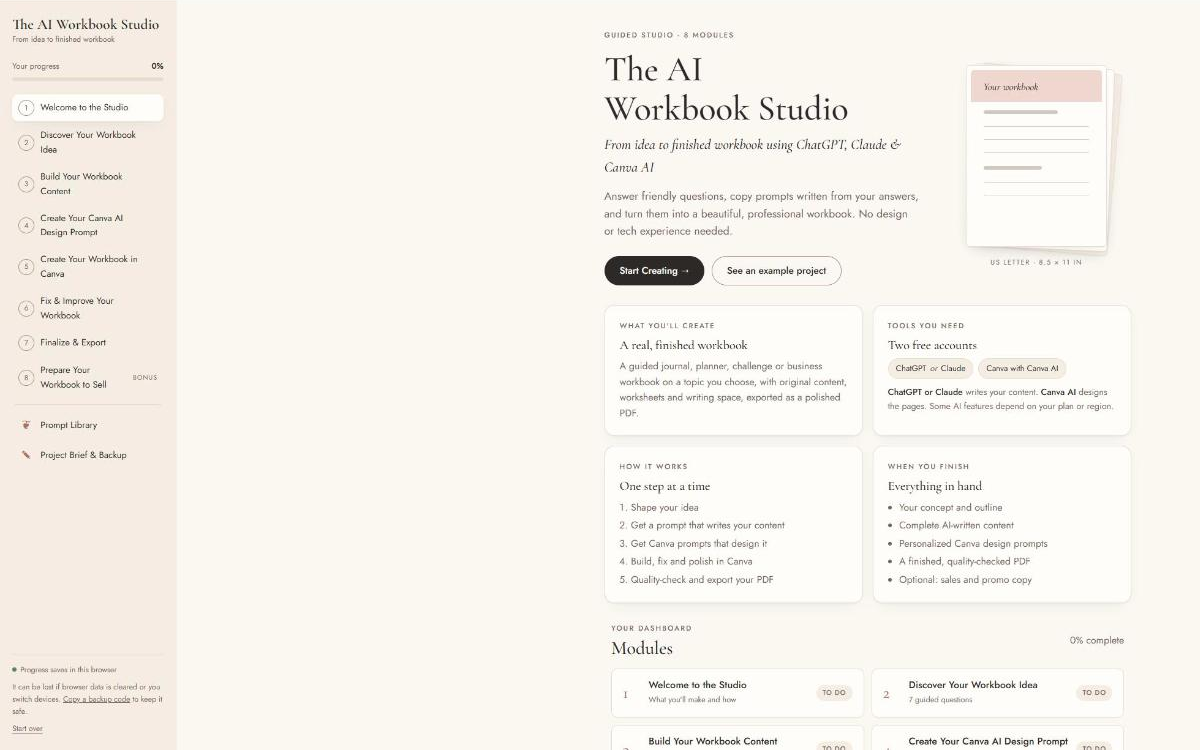
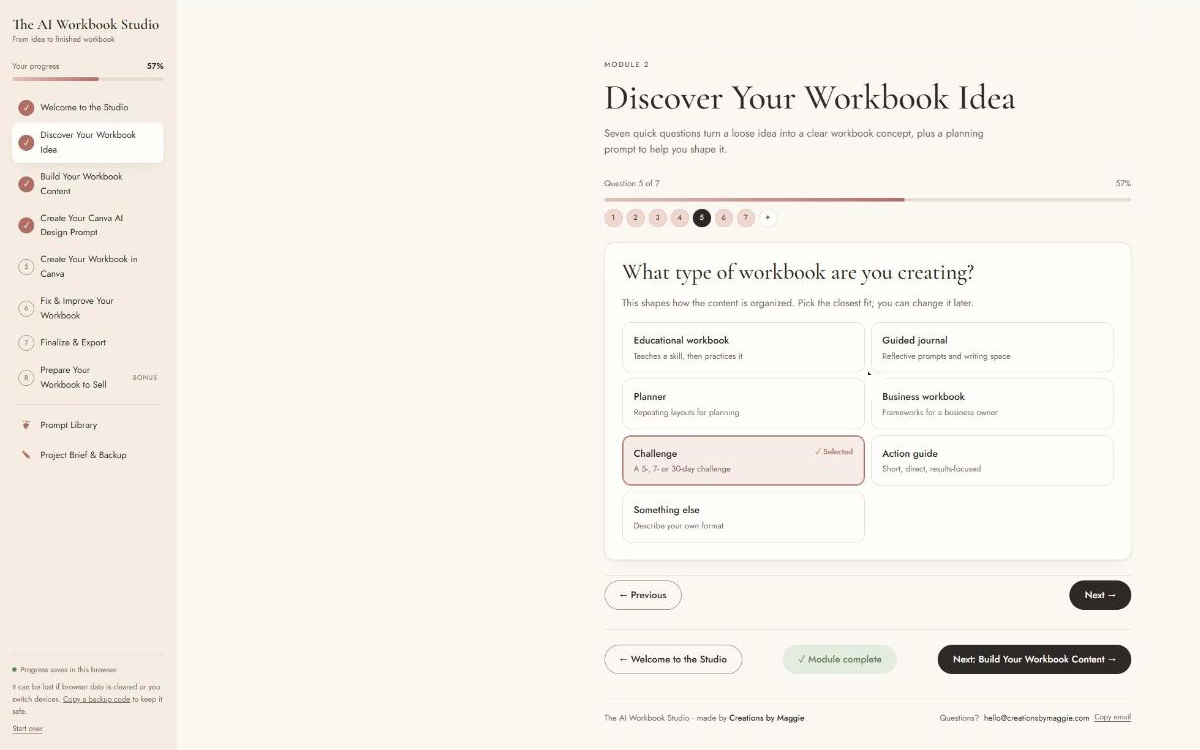
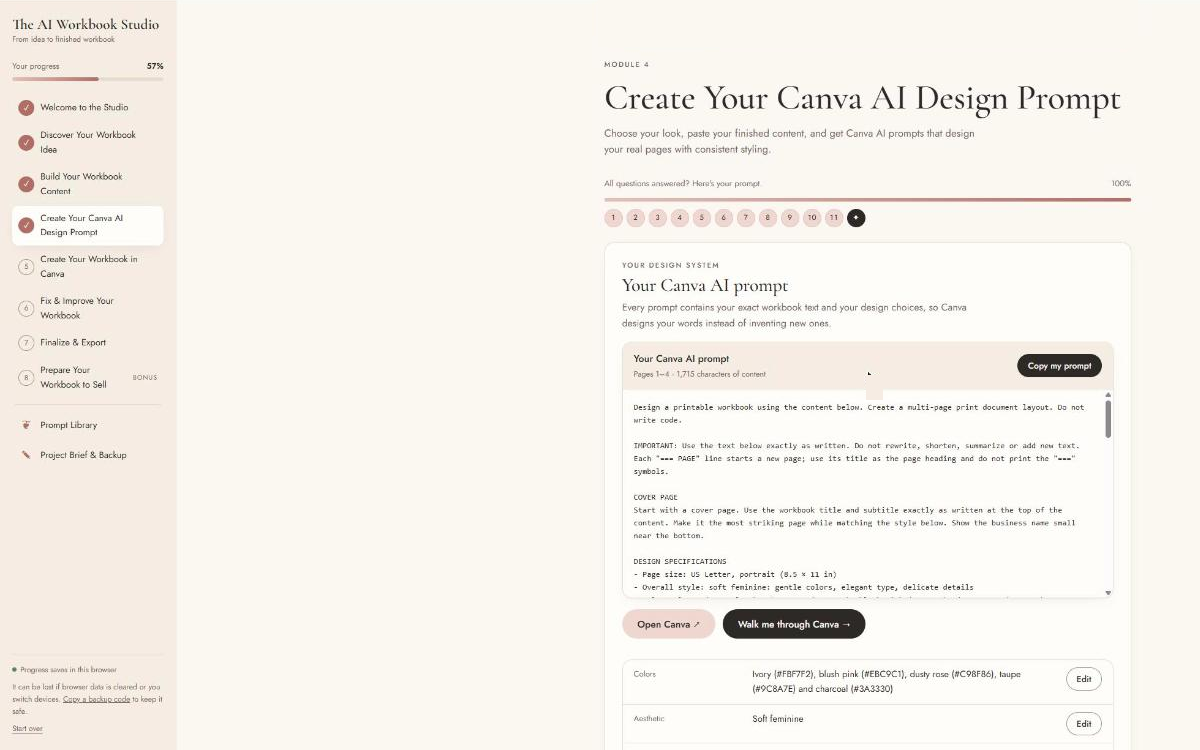
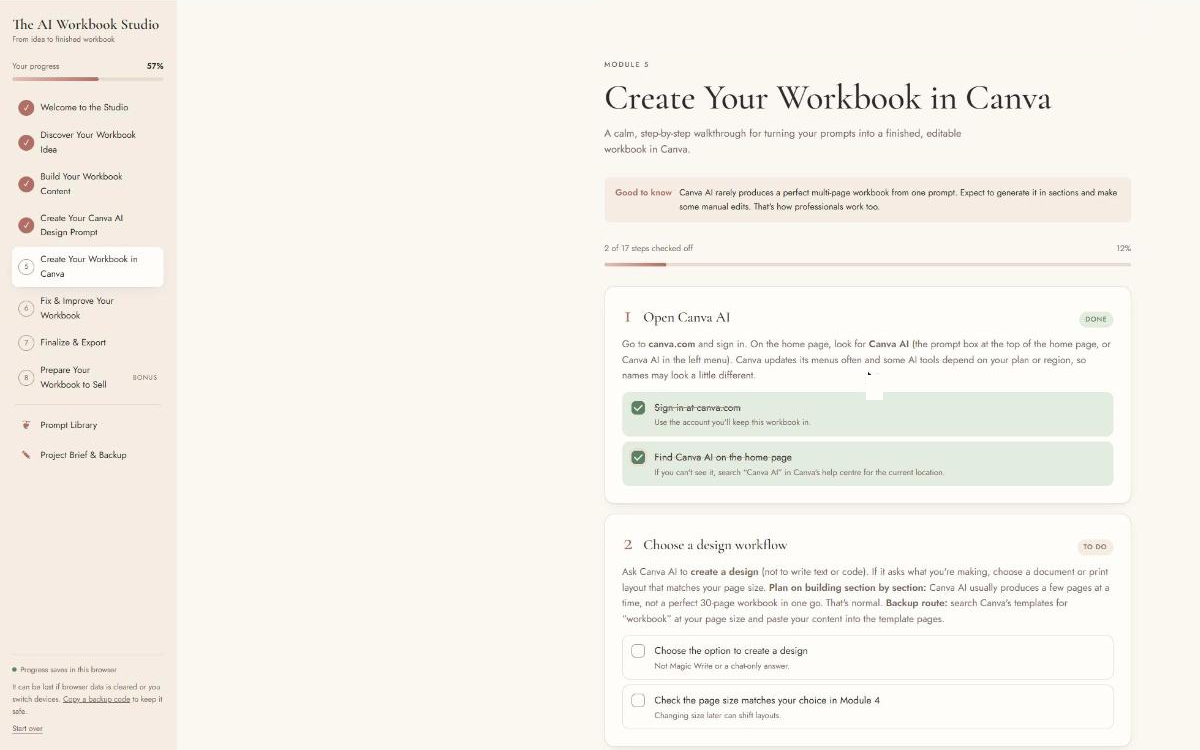
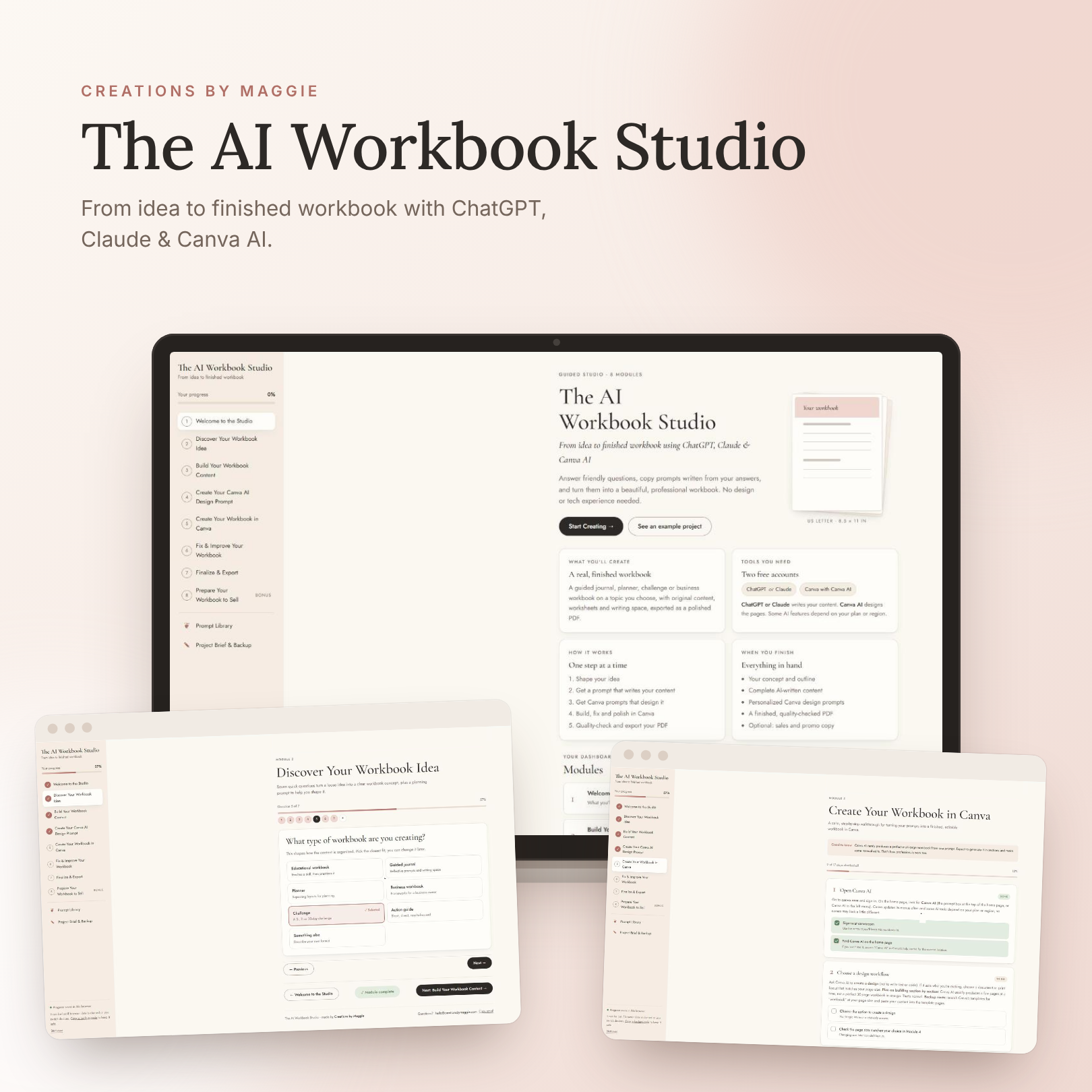
A real look inside the studio.
These are screenshots of the studio itself, so you know exactly what you’re getting.
Imagine this instead…
Your workbook idea isn’t sitting in your notes app anymore. It’s a finished, beautifully designed PDF, ready to share with your clients or list in your shop.
03 / WHAT’S INSIDE
Eight guided modules, from idea to finished PDF.
- 01
Welcome
See what you’ll make, the two free tools you’ll use and how the studio works.
- 02
Discover your workbook idea
Answer seven questions, then use a planning prompt to shape your idea into a clear concept.
- 03
Build your content
Get a prompt for ChatGPT or Claude that writes your full workbook, page by page.
- 04
Create your Canva AI design prompts
Choose from six style presets. Your prompts are built from your real content, and longer workbooks are split into numbered prompts.
- 05
Create your workbook in Canva
A step-by-step walkthrough with checklists to turn your prompts into a finished, editable workbook.
- 06
Fix & improve
Troubleshooting prompts for nine common problems, for when a page doesn’t come out right.
- 07
Finalize & export
Run the quality checklist, then export the right PDF. Printable, clickable links or fillable, with an honest look at what each one can and can’t do.
- 08
Bonus: prepare it to sell
Want to sell your workbook? Get help naming it, describing it and promoting it.
Also inside
- A searchable prompt library
- A project brief you can download, plus a backup code
- An example project to explore before you start your own
- Progress that saves to your account, so you can pick up on any device
Included: free access to SalesPage Studio. It’s in your Library too, so you can build a sales page for your workbook. Upgrading inside the app is optional.
See SalesPage Studio04 / IS IT FOR YOU?
The AI Workbook Studio is for you if…
- You want to create a workbook, guided journal, planner, challenge or business workbook.
- You’re making it for yourself, for your clients or to sell.
- You’re a beginner and you’d like every step explained.
- You want AI to help with the writing and the design, without guessing what to ask it.
What you’ll need: a free ChatGPT or Claude account and a free Canva account. Some Canva AI features depend on your Canva plan or region.
What happens after you buy?
- Check out on Stan for
Regular price $37, launch price $27 - Sign in to the Creations by Maggie Library with your checkout email
- Open Module 1 and start shaping your workbook idea.
05 / QUESTIONS
Good questions to ask.
Do I need design skills?
No. The studio writes your Canva AI design prompts from your own content, gives you six style presets to choose from and walks you through Canva step by step, with checklists.
Which AI tools do I need?
A free ChatGPT or Claude account for the writing, and a free Canva account for the design. Some Canva AI features depend on your Canva plan or region.
How do I access it?
It’s delivered inside the Creations by Maggie Library and appears there shortly after purchase. Sign in with the email you used at checkout: library-creationsbymaggie-com.lovable.app/login. Your progress saves to your account, so you can pick up on any device.
Can I sell the workbook I make?
Yes. You can make a workbook for yourself, for clients or to sell. If you plan to sell it, the bonus module helps you name it, describe it and promote it. If you use Canva templates or elements, check Canva’s license terms for selling designs.
What is the refund policy?
Because this is a digital product, all sales are final.
Your workbook idea, finished.
Eight guided modules, prompts written from your answers and a clear path from idea to PDF, for Regular price $37, launch price $27 one-time.
Already bought? Sign in to your Library with the email you used at checkout.
From idea to finished workbook · Maggie ♡
Interactive online studio, accessed in the Creations by Maggie Library after purchase. All sales are final.